02 · Your intervention
Keep the copy, colours and desktop layout. At 390 pixels, Mara should understand the project before reaching the main action. Prevent horizontal overflow.Build it with AI →
Book companion · executable workshop project
Mara writes. Lea responds. Switch perspectives and experience what a platform connects. Then keep building with your AI agent.
The demo needs no account or installation. The starter takes you into the local project; real authentication, a database and cloud deployment follow in the German-language book.
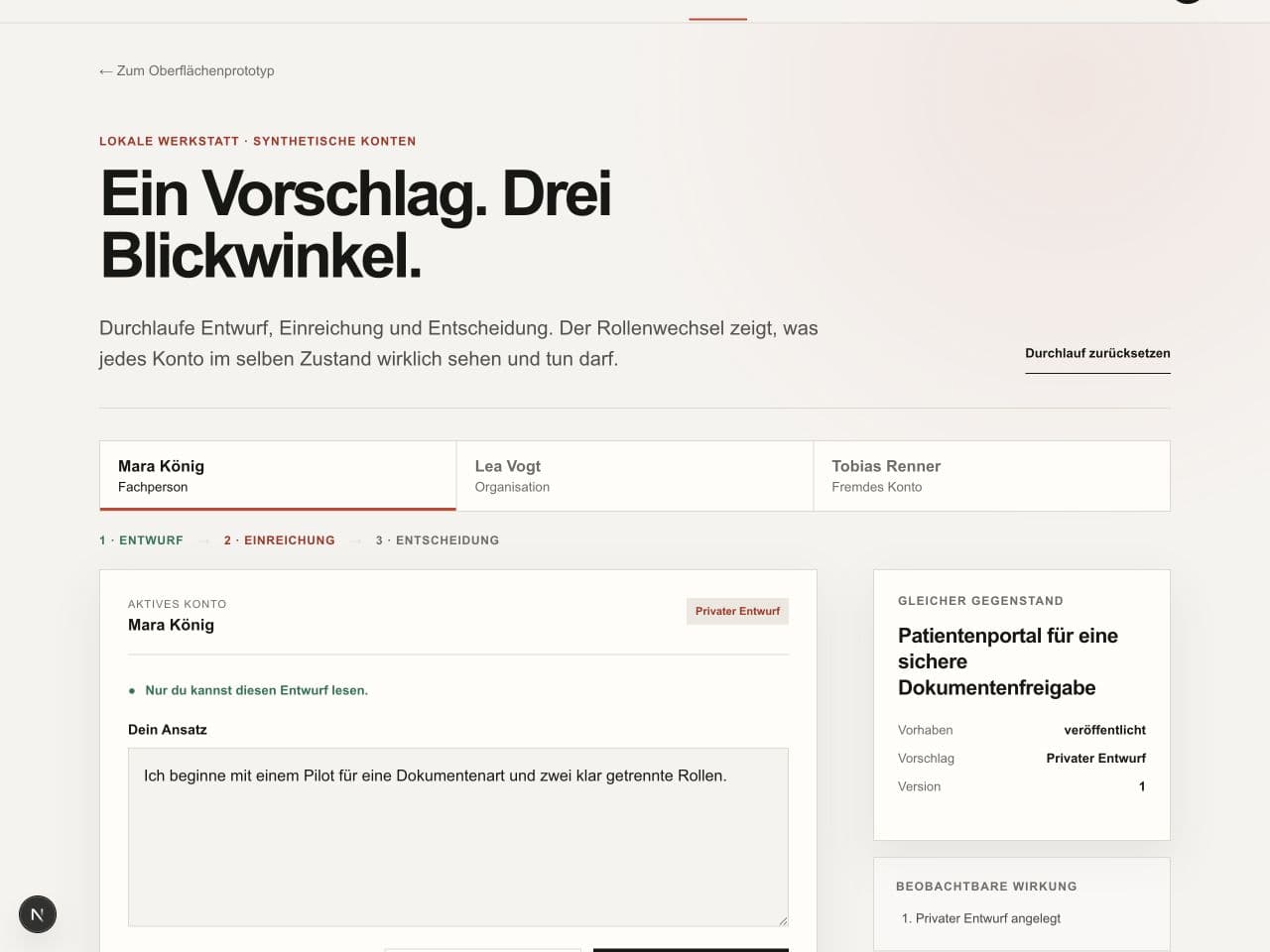
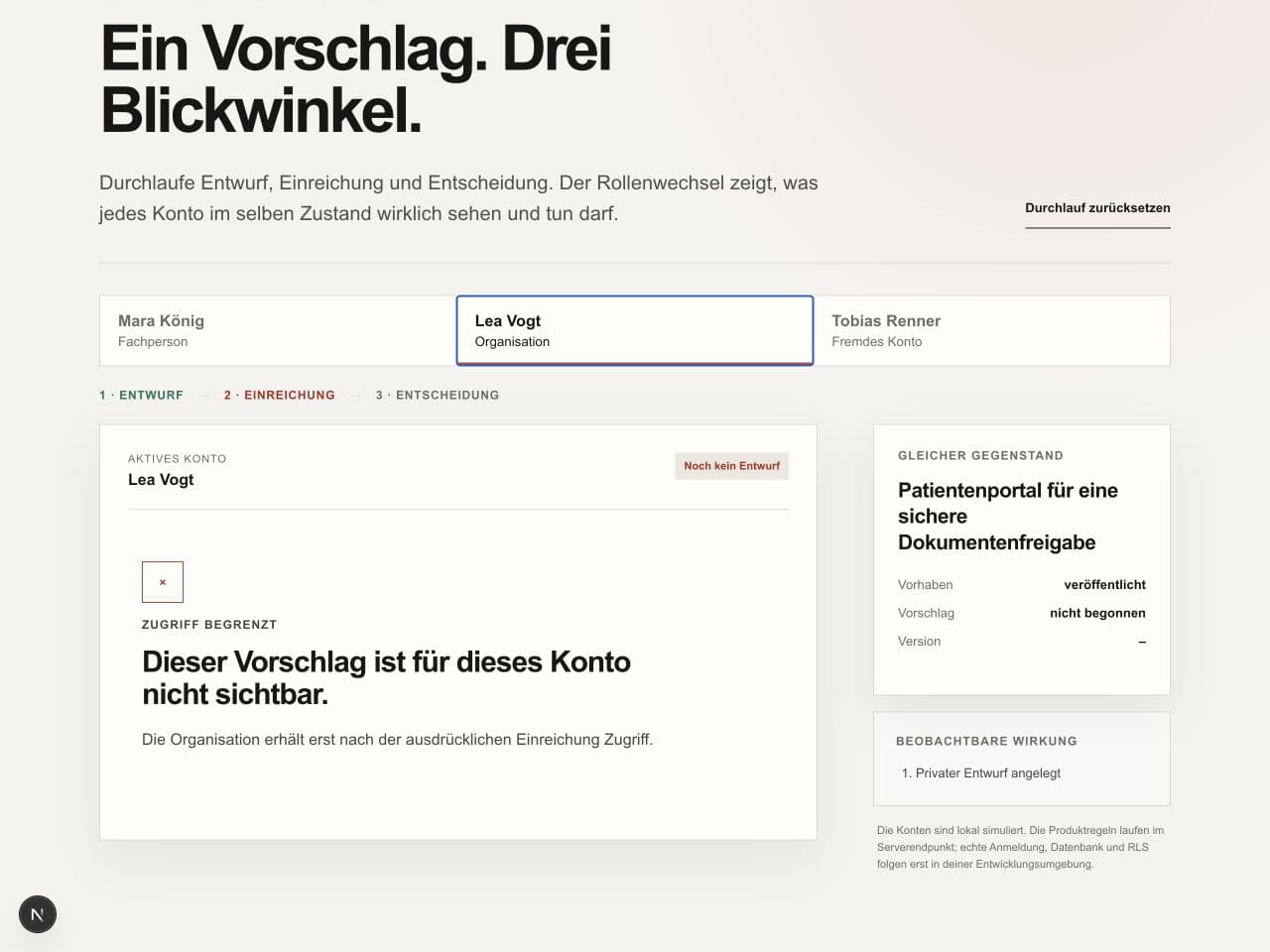
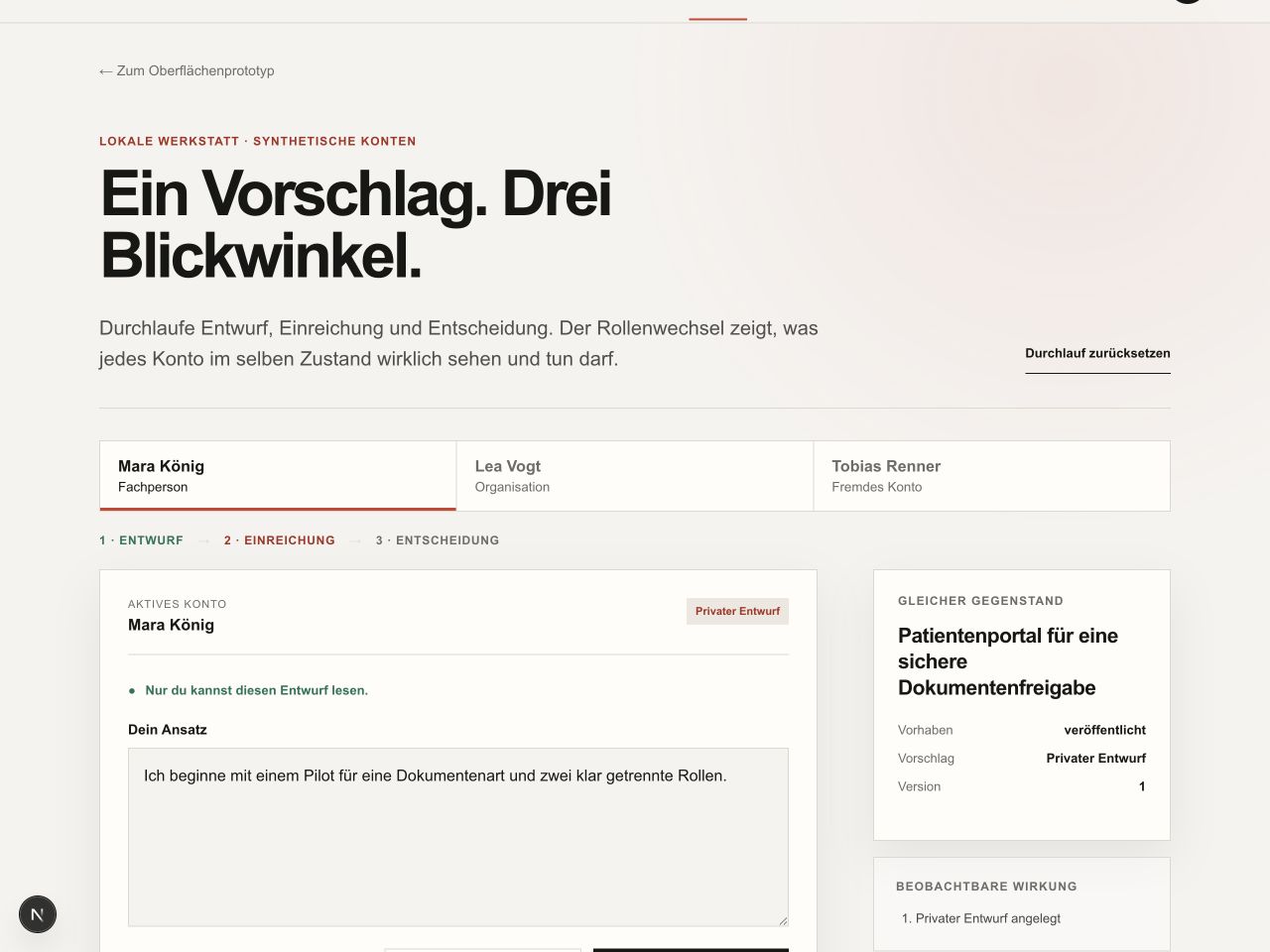
Start a draft as Mara. Then switch to Lea – before submitting it.
One click creates a draft, not a submission.
Only in this simulation: let an outsider see the text and observe the difference. The download remains unchanged.
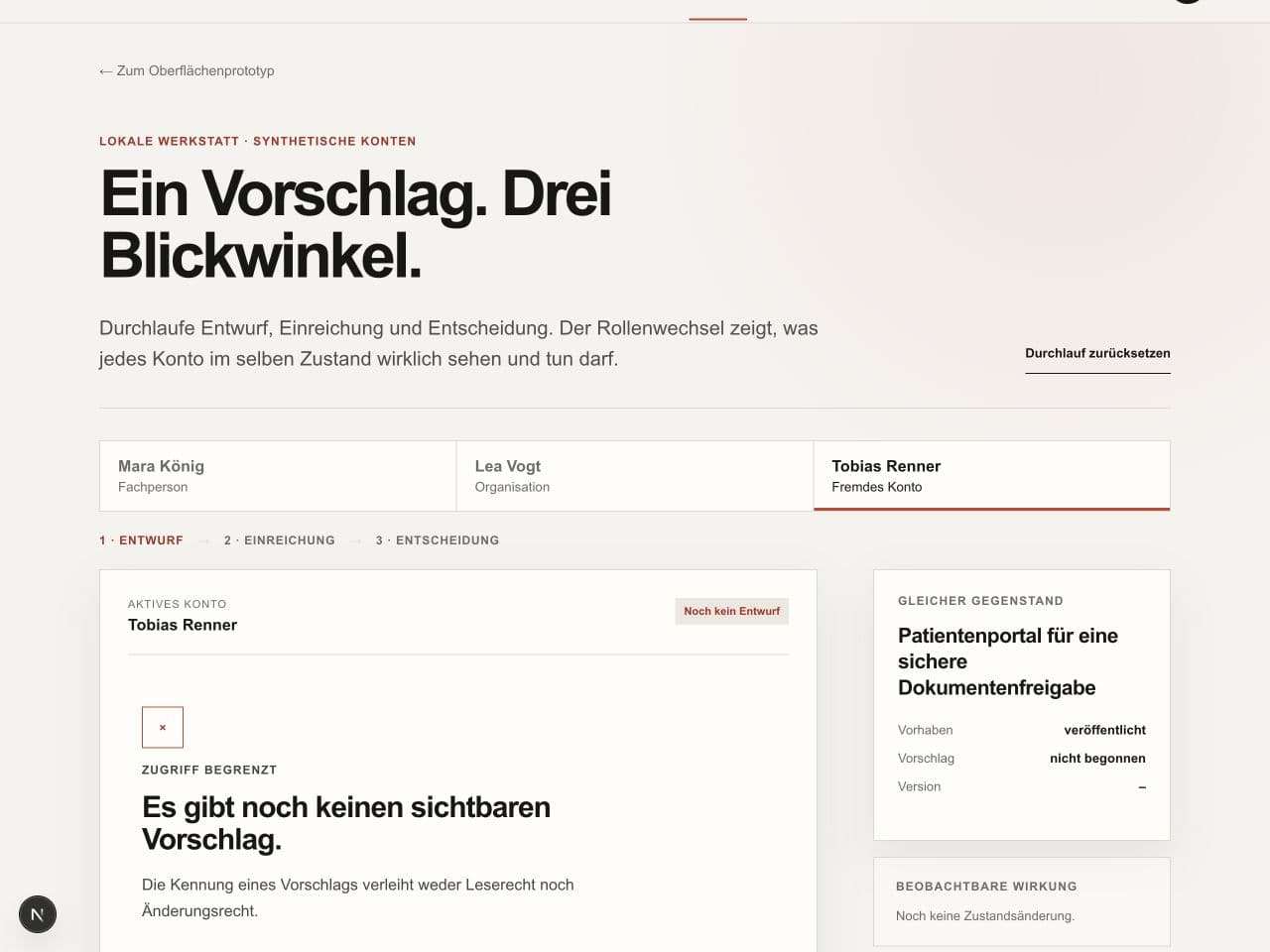
Start a draft, switch to Tobias and suspend the reading rule here.
This demo illustrates a browser-side rule. Real permissions must be enforced on the server and, where appropriate, in the database. In chapter 12, you remove a condition in a local test project and see the matching test fail.
Browser simulation · fictional data · no sign-in. Nothing is saved or sent.
Chapters 2 + 11 · the complete core flow
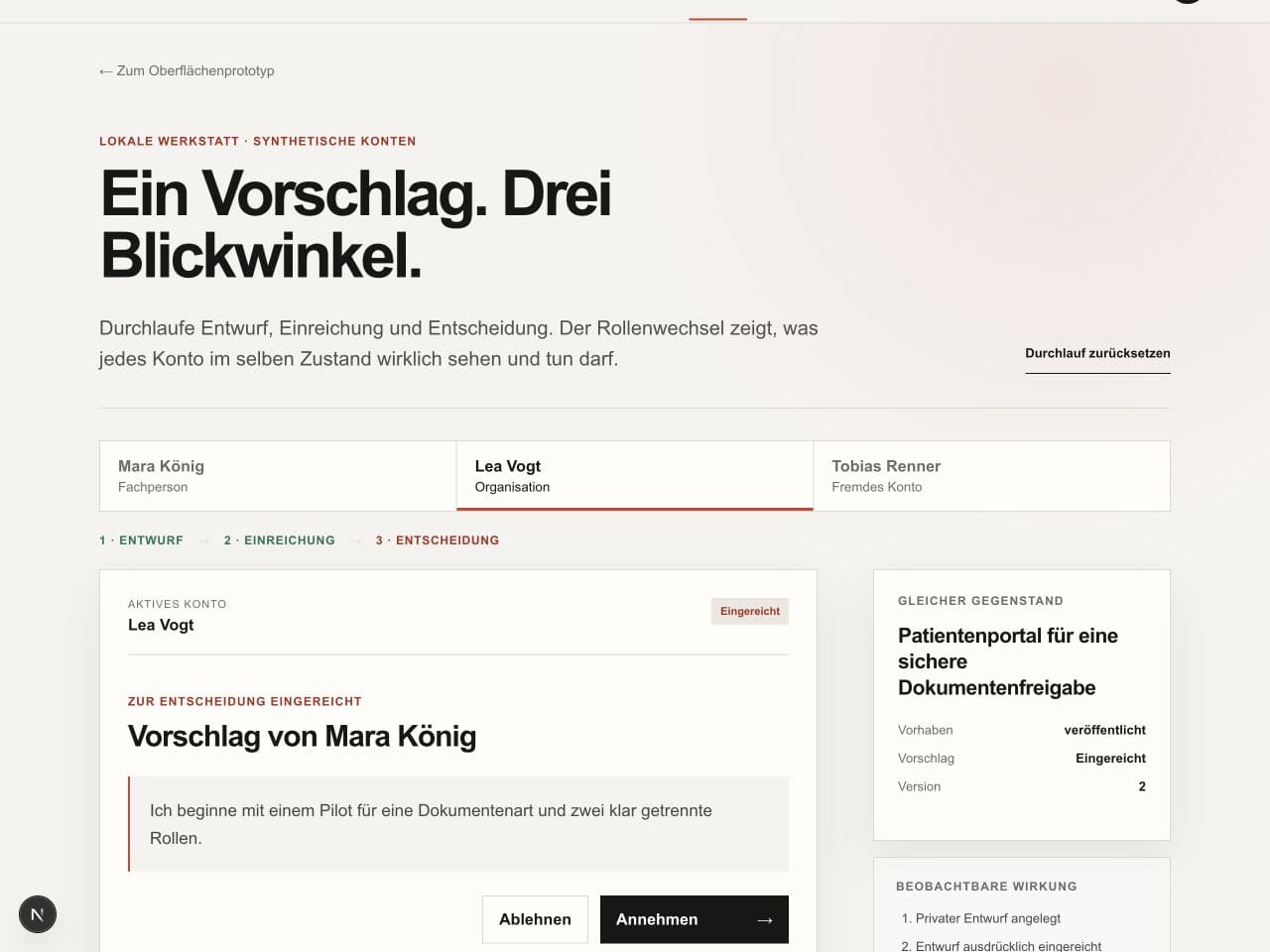
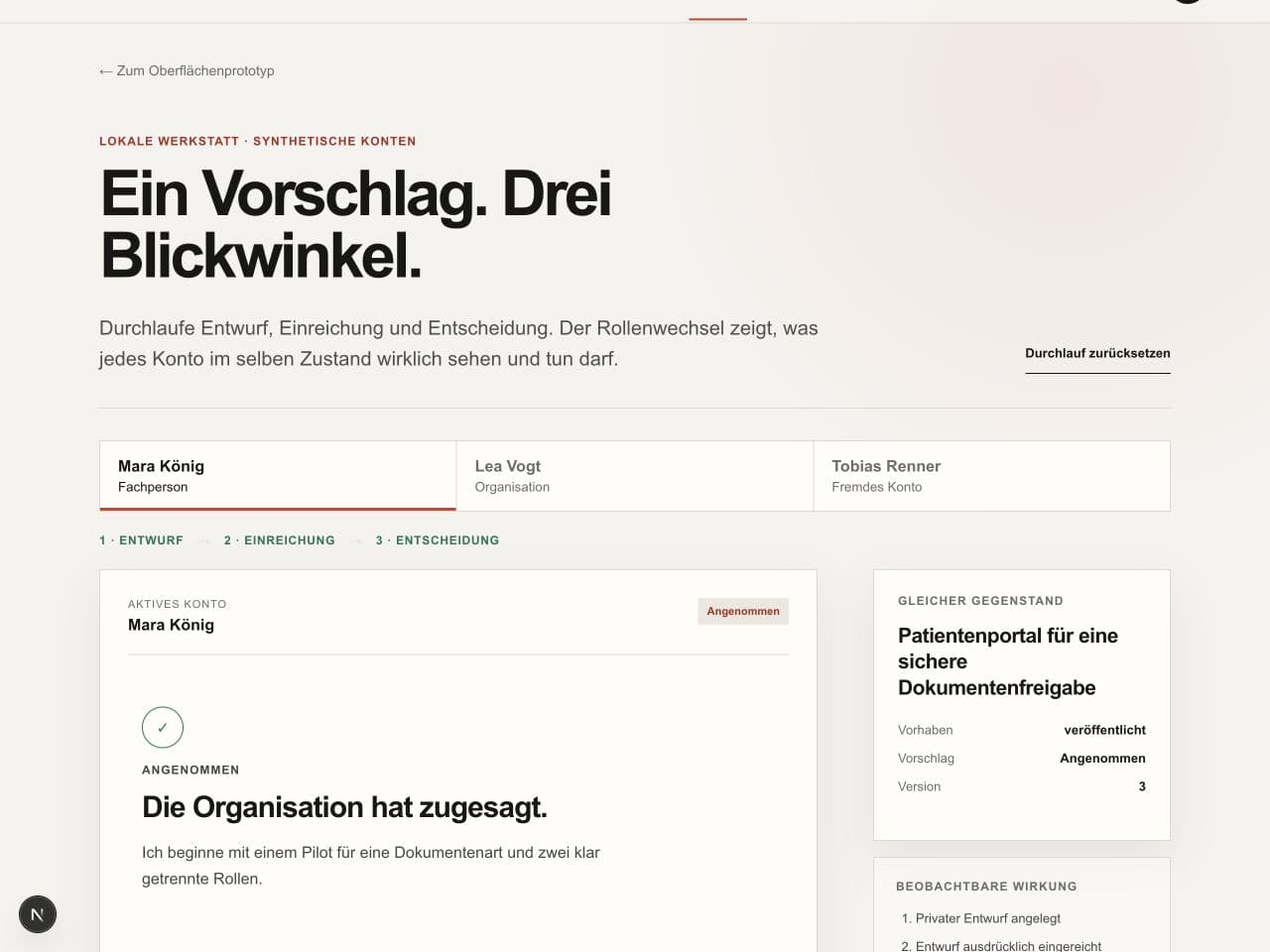
Five captures from the local workbench. No animation or recreated terminal: move at your own pace. The workshop UI is in German.

Select Mara, then start a draft. There is text, but no message to Lea yet. Writing and submitting are different actions.
Captured on 7 September 2026 in the in-app browser at 1280 × 960 pixels. Synthetic accounts and server-side in-memory state; no real sign-in or persistent database. This is an image sequence, not a video recording.
Chapter 2 · one bounded UI iteration
Real browser captures from Vorhabenraum. The initial fault is deliberately introduced, not claimed as a particular agent’s mistake.
The action comes before the project. Mara is asked to decide before understanding the context.

Keep the copy, colours and desktop layout. At 390 pixels, Mara should understand the project before reaching the main action. Prevent horizontal overflow.Build it with AI →
Context precedes action. The long title stays readable. Check the wide layout as well.

Three example corrections for your next iteration. These are not conversation transcripts.
New colours, new cards, same obstacle.
A redesign was not requested. Keep the existing design. Fix only mobile order and title wrapping; show the same content before and after.
A test fails. The agent wants to change the expectation.
The privacy rule stays. Reproduce the failure and fix the implementation. The test must fail on foreign access before the fix and reject that same access afterwards.
The interface addresses the wrong person.
Read the text from the perspective of the person who owns the record. Correct only the viewpoint. Keep layout, roles and approval rules intact.
The first win
Download the fixed starting point and run it locally. Your coding agent can now read and change the actual project files.
Open the vorhabenraum directory in a terminal. Keep the unchanged ZIP as your recovery point.
Install dependencies and start the development server.
Open the workbench and run through drafting, submission, decision, and blocked third-party access.
Give your agent docs/quickstart-agent-task.md. Compare mobile and desktop, then have it run lint and build. Keep the seven product-rule tests for subsequent changes.
npm install
npm run dev
npm test
npm run lint
npm run buildhttp://localhost:3000/workbenchThe through-line
The first three states are included in the download. The pilot deliberately lives in your own isolated development environment.
The published project view runs locally and the agent first describes only the visible user journey.
Evidence: The page loads, project rules have been read, and no file has been changed yet.
/A reproducible mobile obstacle is created with npm run workshop:start, fixed within scope, and restored with npm run workshop:refined.
Evidence: Before/after screenshots, diff, lint, and production build.
/Drafting, submission, decision, and blocked third-party access can be exercised with three synthetic accounts.
Evidence: Seven product-rule tests and a visible event log.
/workbenchAuthentication, persistent data, preview, observability, and release are added in the reader's own development project.
Evidence: A private preview URL, role counter-checks, deployment evidence, and a repair trail.
Tool selection
This matrix is a dated division of labour, not a permanent model ranking. One agent is enough; a second perspective makes a counter-check more independent.
Read the repository, plan changes, implement one vertical slice, and run a fresh counter-review.
Plan, bounded diff, tests, and build
Boundary: External effects such as deployment, migrations, or messages still require explicit approval.
Refine interfaces visually and atomically, especially with a screenshot and the included frontend-design skill.
The same state at 390 and 1440 pixels, keyboard path, and diff
Boundary: Design tokens, product rules, and permissions are constraints, not raw design material.
Inspect the actual user journey, responsive states, console, network, and overflow.
Browser journey, screenshots, and a clean console
Boundary: A polished screenshot replaces neither permission checks nor product-rule tests.
Secure a known starting point, understand changes, and discard failed iterations without losing work.
Clean status, readable diff, and a named workshop state
Boundary: Never silently overwrite someone else's or uncommitted work.
Add authentication, PostgreSQL, migrations, and row-level security in a private pilot project.
Migrations plus positive and negative role checks
Boundary: Use isolated development data only; never paste production accounts or keys into agent tasks.
Provide a private preview for the bounded pilot and expose build failures.
Preview URL, build log, and tested recovery path
Boundary: A preview is not a production release. Environment variables remain separated.
Exercise the optional paid-access path with test products, webhooks, and explicit states.
Signed test webhook, idempotency check, and visible access status
Boundary: No live keys and no real charge during the book exercise.
Observe and reproduce pilot failures, then connect them to an approved repair.
Reproducible event, linked fix, and controlled release
Boundary: Use a data-minimised development environment and filter sensitive payloads before transmission.
Stay with the same tool and start the counter-review in a fresh context. The independent question matters more than a second logo.
Use the proven division of labour: Claude Code for atomic visual iteration, Codex for structured repository work and counter-checks. The observable result still decides.
Traceable
The book, download, and workshop state name the same version. The checksum reveals whether the archive arrived unchanged, while the included START-HERE file keeps the path usable without this website.
Starter: version 0.3.1, 8 September 2026, with expanded setup guidance and isolated fault exercises. The tool matrix has its own review dates.